

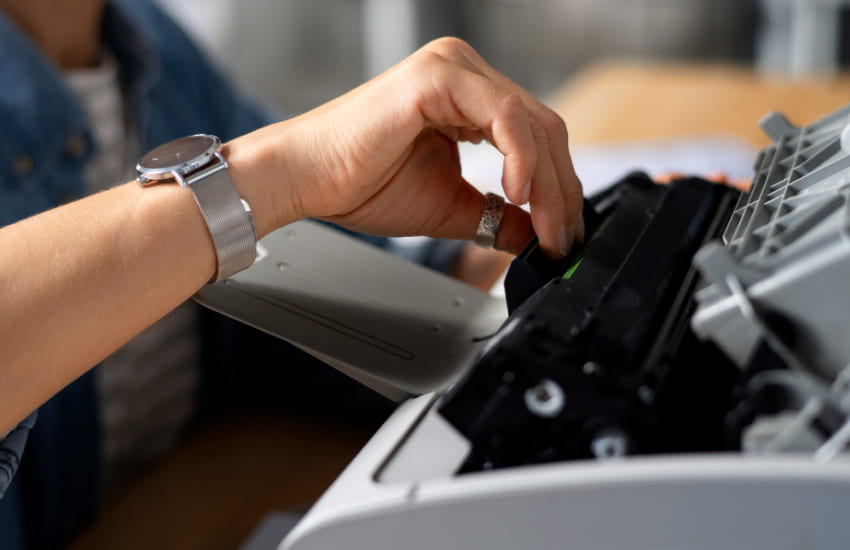
Unusual noises coming from a printer can be alarming, especially when the device has previously operated quietly. Clicking, grinding, or buzzing sounds often signal small mechanical or setup-related issues rather than serious damage. Understanding what different sounds indicate helps you respond correctly instead of ignoring early warning signs. With careful observation and a step-by-step approach, most noise-related concerns can be identified and addressed before they affect print quality or reliability.
Printers produce normal operational sounds, but unfamiliar or repetitive noises usually point to something out of place. Recognizing the type of sound is the first step toward understanding its cause.
Clicking noises often occur when internal components struggle to move into position. This may be caused by misaligned paper, loose trays, or parts repeatedly attempting to reset. These sounds usually appear at the start of a print job or when the printer powers on.
Grinding sounds suggest friction between moving parts. This can happen when paper is jammed internally or when debris interferes with rollers. Grinding should not be ignored, as continued use may worsen wear over time.
Paper-related problems are a frequent source of unexpected printer noises. A quick inspection can often reveal the cause.
Paper loaded unevenly or beyond tray limits can force rollers to work harder, creating unusual sounds. Removing excess paper and realigning the stack helps restore smooth movement and quieter operation.
Small torn pieces of paper left behind after a jam can cause scraping or clicking sounds. Carefully checking accessible areas ensures no fragments remain to interfere with normal operation.
Internal components may produce noise when they are blocked, dirty, or under strain. Reviewing these areas helps pinpoint mechanical causes.
Rollers covered in dust or paper residue may slip or squeak during feeding. Light cleaning with a dry cloth often reduces noise and improves paper handling consistency.
Over time, certain internal components may shift slightly. Rattling or vibrating noises can indicate that something is not seated firmly. Ensuring trays and covers are properly secured helps eliminate unnecessary movement.
Not all noises come from physical faults. Sometimes the printer’s operating conditions or settings influence sound levels.
Printers often make short bursts of noise during startup or calibration. These sounds are usually normal and stop once the printer is ready. However, extended calibration noises may suggest repeated alignment attempts.
High-speed or high-volume printing can increase sound levels temporarily. Continuous heavy workloads may cause the printer to sound louder than usual, especially if it is working beyond its typical daily usage.
Some sounds indicate routine operation, while others suggest the need for attention. Learning the difference prevents unnecessary worry or delayed action.
A printer that suddenly becomes louder or develops a new noise pattern may be signaling a developing issue. Comparing current sounds with past operation helps determine whether the change is significant.
If noises continue across multiple print jobs or increase in intensity, the issue should be addressed promptly. Persistent sounds often point to mechanical strain that could affect performance if left unresolved.
Unusual printer noises are often early indicators of paper misalignment, debris, or minor mechanical strain rather than major failure. By identifying the type of sound, inspecting paper paths, checking components, and understanding normal operating noises, you can interpret what your printer is telling you. A careful response not only resolves current noise issues but also helps maintain smoother, quieter printing over time.